FTTC (up to 80Mb), FTTP (up to 1GB), Leased lines, VoIP from £6/ month, Security software, Office 365, Email etc.
When you need value for money and quality of service without the drama phone 028 8283 1111
Select a quick link > Control panel - Rise a ticket - Remote assistance
-
Bitdefender
-
Internet services
-
VoIP Low cost telecoms
-
-
- Redirect your number
- VoIP on your Desktop
- Allocate function keys
- VoIP audio quality help
- Lifts Regulations 2016
- Address book
- Inclusive calls
- Reset a Yealink phone
- Yealink basics
- Yealink advanced
- Yealink Busy Lamp Field
- Reset BLF State
- ZoiPer set up on Android
- Call waiting
- Outbound and inbound call issues
- Feature Dial Codes
- Port a number from Megganet
- Program voicemail button
- Show all articles ( 3 ) Collapse Articles
-
-
Email services
-
Phone lines and calls
-
Software
-
Fax numbers (Cloud)
-
Domians
-
IT Equipment
-
Backups
-
Identify connections
- Phone Colum on 02828831111 or 07788562087
-
Identify equipment
- Phone Colum on 02828831111 or 07788562087
-
Downloads
-
Glossary
- Phone Colum on 02828831111 or 07788562087
-
Documents
- Computer name
- Migrating Hosted Exchange to Microsoft Exchange
- How to email a screenshot
- Direct Debits explained
- Powerline
- Microsoft NCE
- Chose an email address
- UPS - Power protection
- Wireless Access Points (WAP's)
- SPAM - a little information
- Password policy
- Run book
- Wi-Fi reset internal adapter
- Seasonal greetings
- Reliability Monitor
- Standing Orders
- Windows updates
- Buying a printer
- Cease an internet service
- Windows 11 store
- Remote Support
- Omada controller
- Port open verification
- OpenVPN configuration
- VPN L2TP to an Enterprise TP-Link router
- Wireless (Wi-Fi) Repeater
- Teams installation
- Video conferenceing screen installations
- House networking
- Printer windows 10 view
- Laptop care
- OpenVPN explained
- Install Microsoft 365
- OpenVPN download and install
- TP-Link MR515
- OneDrive notes
- Show all articles ( 21 ) Collapse Articles
-
Remote Support
-
Payments
-
Pricelist (Hardware)
-
Synology NAS
- What is a Synology NAS?
- Dive sync remote overview
- Synology Drive Sync Server - installation
- Drive Sync Client Installation
- Drive Backup - recovery
- Synology Active Backup for Windows
- PPTP VPN to a Synology NAS
- Synology Drive Sync end users notes
- Synology Hyper backup - recovery - local computer to external usb drive
Omada Mesh
We have found that sometimes, that misconfigured 3rd party devices may cause a network loop.
A loop is where a devices connects it self to an Omada network using 2 or more connections. So far we have found TV’s connected to the same internet both by Wi-Fi and with a network cable.
We have also found a printer trying to connect to 2 different Wi-Fi Access Point (WAP) while being connected to a computer via a USB cable. The computer was also connected to the internet with a network cable. This was fixed by removing the USB cable but may also have been fixed by disabling the Wi-Fi on the printer.
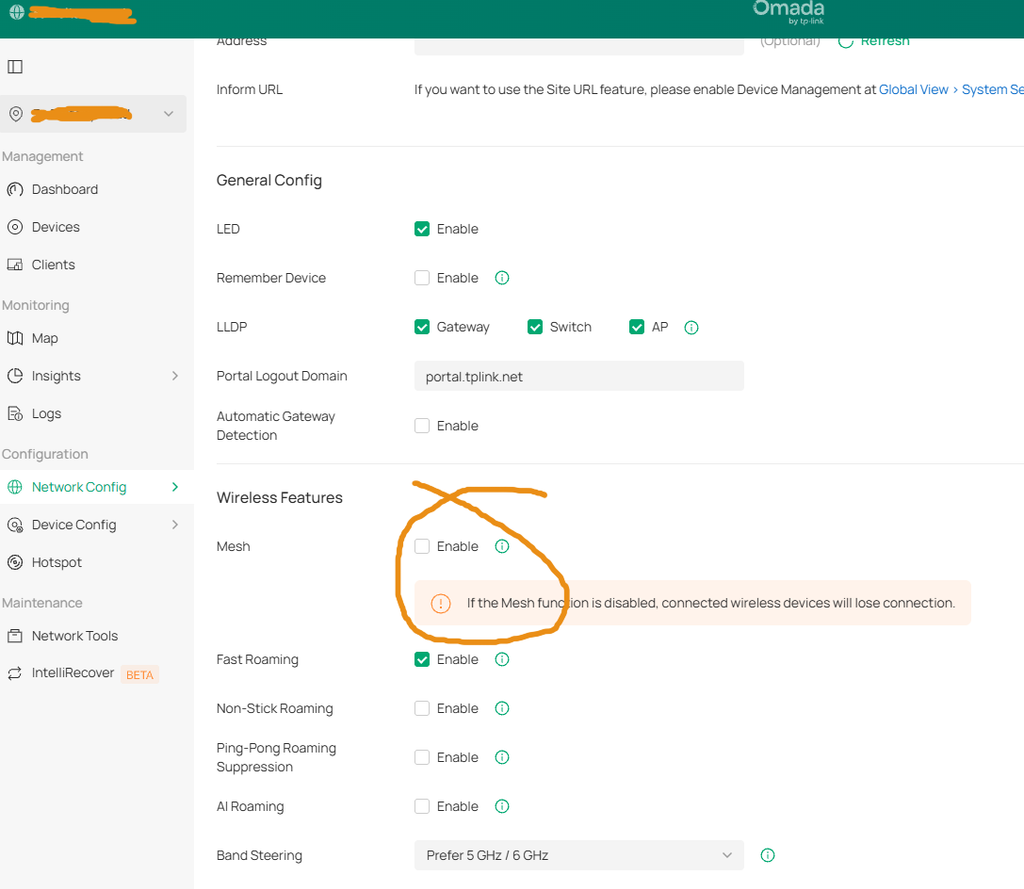
Disabling Mesh on an Omada network.
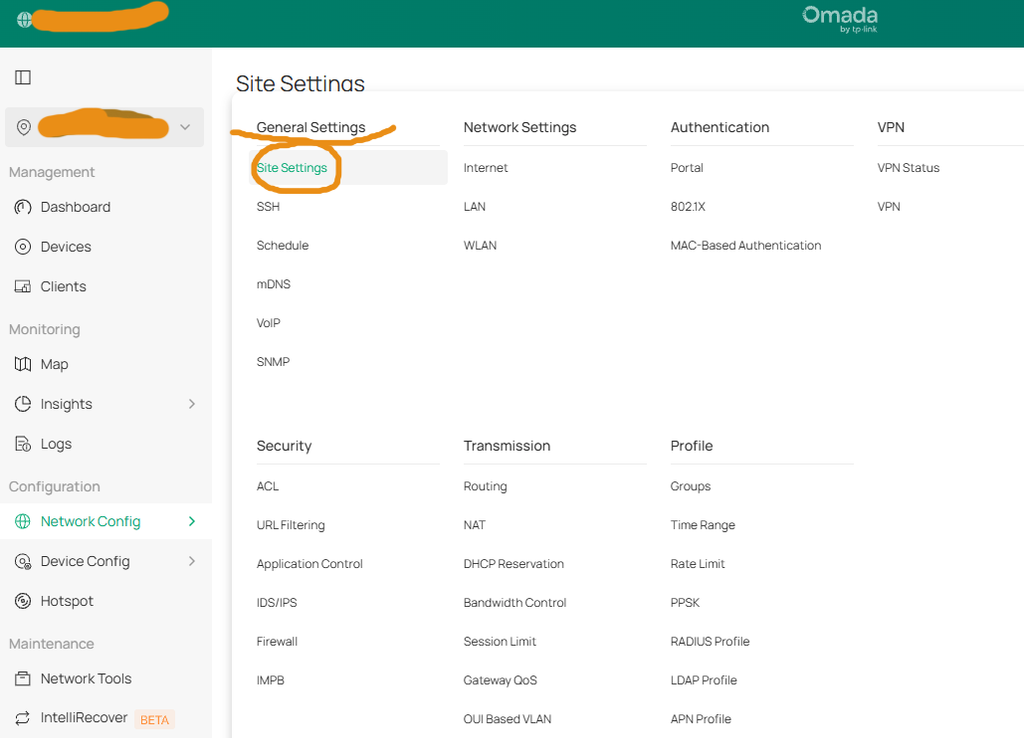
Log onto your Omada network. Change from the ‘Global view’ to the local view.
Select ‘Network Config‘, ‘Site Settings‘, then under ‘General Settings‘, select ‘Site Settings‘, as below.
Once there, user ‘Wireless Features‘, disable ‘Mesh‘.